
Nutzungsanleitung

💫
Kostenlose Version in nur3einfachen Schritten!
Unbegrenzter Zugang zu Premium-EAs kostenlos!

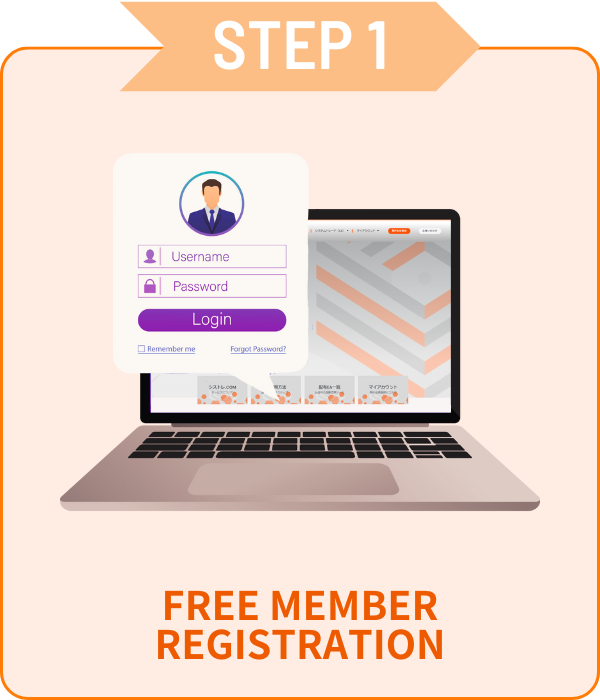
Registrierung

 Nur E-Mail und Passwort erforderlich!

01Kontoantragsformular

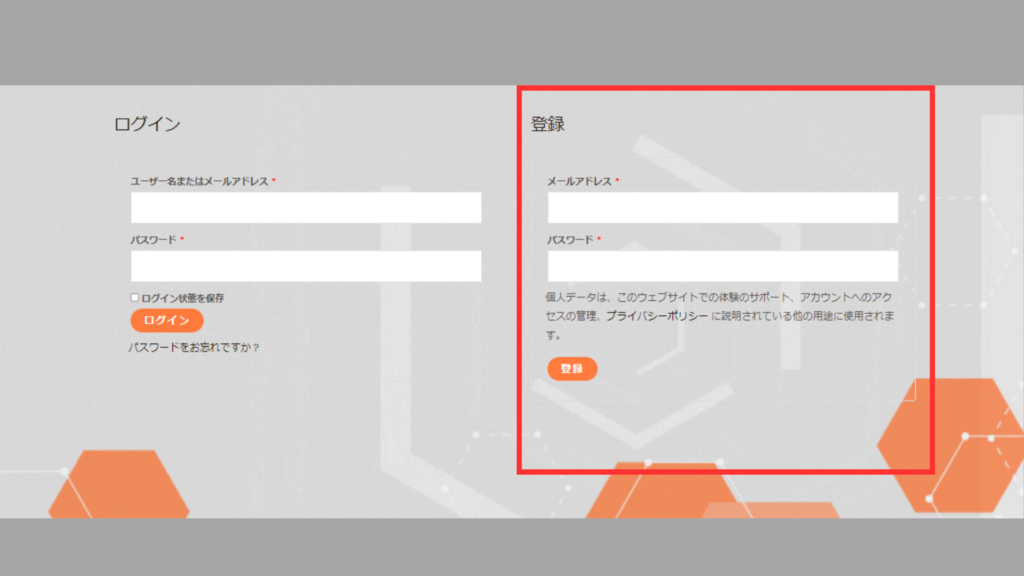
 Gehen Sie zu Mein Konto, geben Sie die Daten im roten Feld ein<br>und klicken Sie auf [Registrieren].

02Kontoverifizierung

シストレ.COM

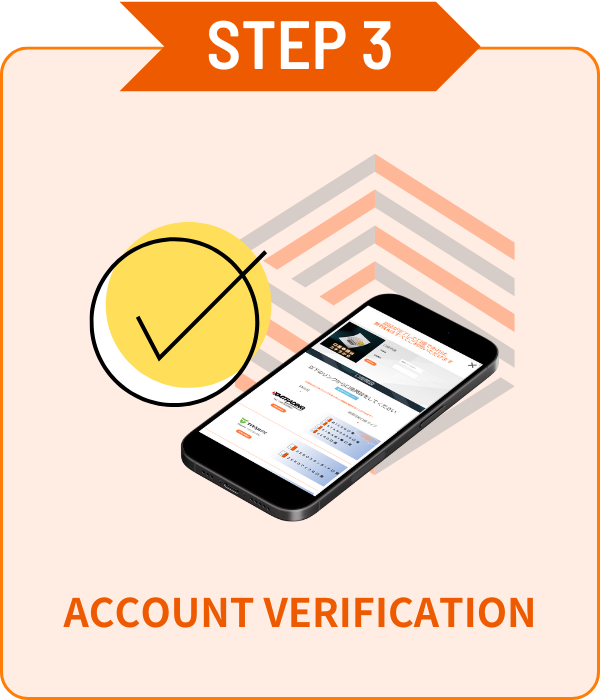
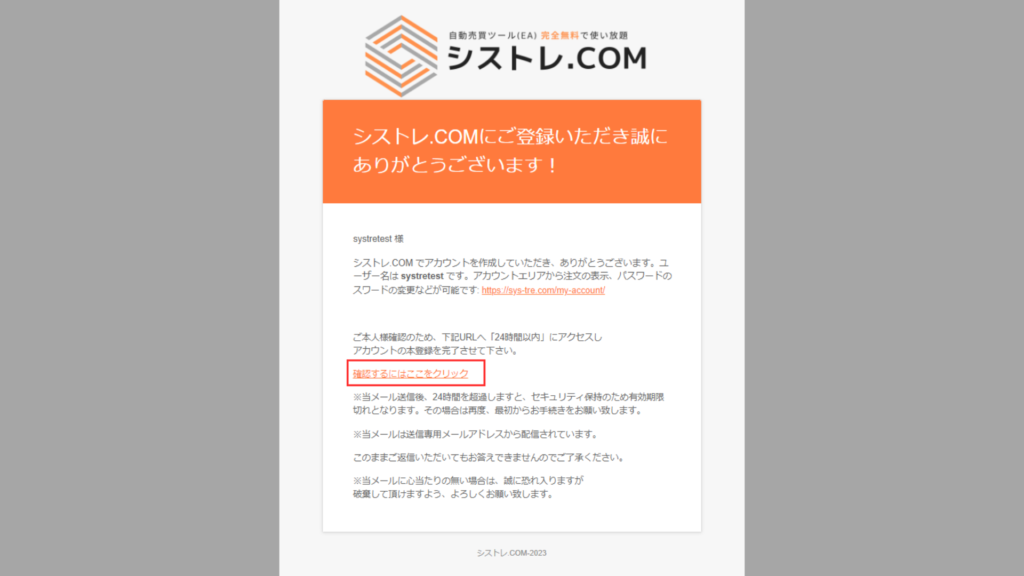
Eine Bestätigungs-E-Mail wird an Ihre registrierte E-Mail-Adresse gesendet.Bitte klicken Sie auf "Hier klicken" in der E-Mail zur Bestätigung. 

Konto eröffnen

 Wählen Sie Ihren bevorzugten Broker und eröffnen Sie ein Konto!


 Kostenlose EAs sind nur für Konten verfügbar, die über unsere Links eröffnet wurden.Kostenpflichtige Versionen haben keine Kontobeschränkungen.

available_axiory
available_axiory
TITANのロゴ
利用可能口座_TITAN
利用可能口座_Exness

Kontoverifizierung

 Einfache Kontoverifizierung auf der Mein Konto-Seite!

01Kontoantragsformular

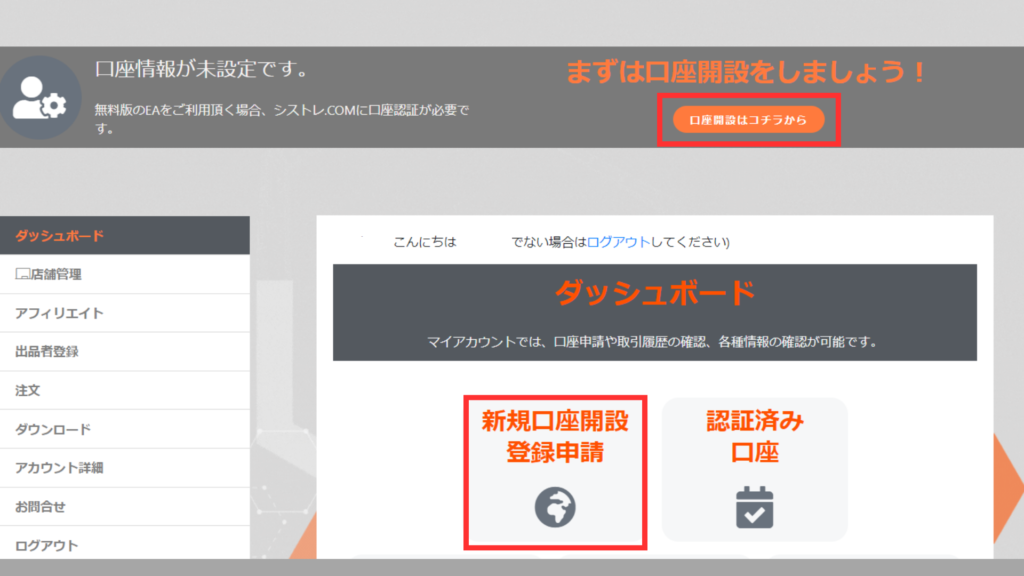
 Klicken Sie auf [Neue Kontoregistrierung] im [Mein Konto]-Dashboard.

02Kontoverifizierung

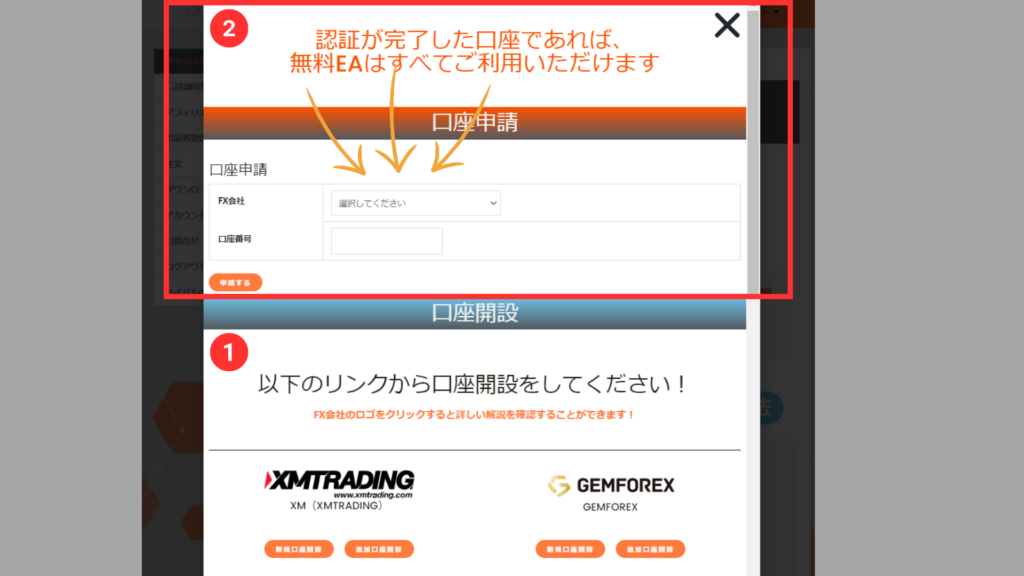
 Wählen Sie den Broker aus dem Dropdown, geben Sie Ihre Kontonummer ein und klicken Sie auf Bewerben.

*Die Kontoverifizierung kann einige Tage dauern.
*Wenn Sie ein Konto außerhalb unserer Website haben, eröffnen Sie bitte ein zusätzliches Konto ab STEP2.


ALL FREE!

Mit einem verifizierten Konto
sind alle EAs kostenlos!

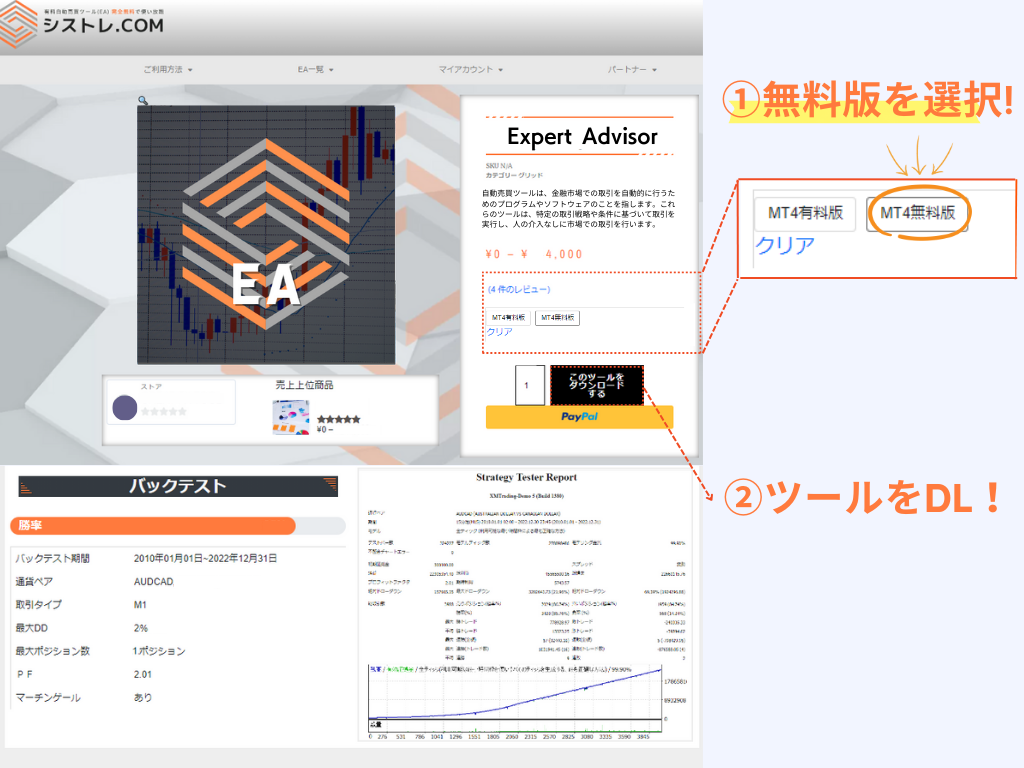
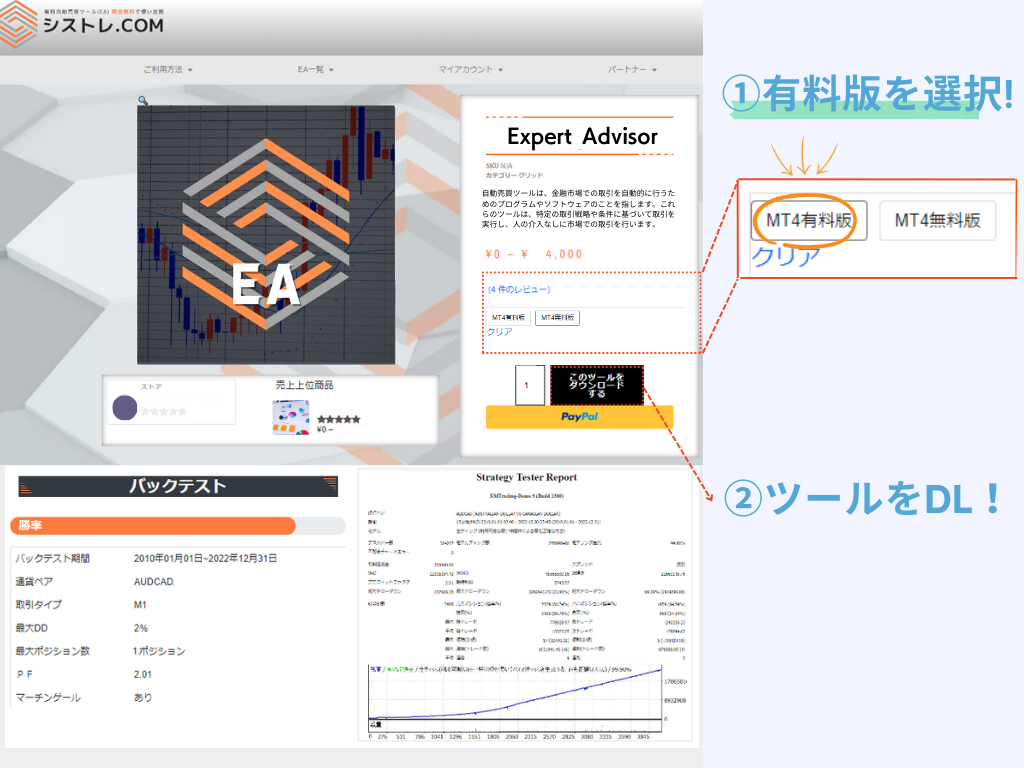
So laden Sie Produkte herunter

Kostenlose Version
Kostenlose Version

Kontoantrag erforderlich über Meine Seite.
Mehrere Konten können registriert werden.

*Nur über unsere Links eröffnete Konten sind berechtigt.

Kostenpflichtige Version

Kaufen und nutzen ohne Registrierung.
Kontoänderungen können über Meine Seite beantragt werden.
*Konto kann einmal pro Woche geändert werden.

Unterschied zwischen kostenpflichtiger und kostenloser Version

Der Unterschied zwischen kostenpflichtiger und kostenloser Version ist die Kontobeschränkung.
Beide Versionen haben die gleiche Leistung und Logik.

Kostenlose Version
€0

Konto über unseren Service eröffnet

Unbegrenzter Zugang mit verifiziertem Konto
  • MetaTrader4/5 kompatibel
  • Unbegrenzte EAs
  • Unbegrenzte Konten
  • Erneuter Download möglich
  • Backtest-Funktion
  • Kein Demokonto
  • Kontobeschränkung
Nutzen Sie Ihr bevorzugtes Konto
  • MetaTrader4/5 kompatibel
  • Keine Broker-Beschränkung
  • Kontowechsel möglich
  • Erneuter Download möglich
  • Backtest-Funktion
  • Demokonto OK

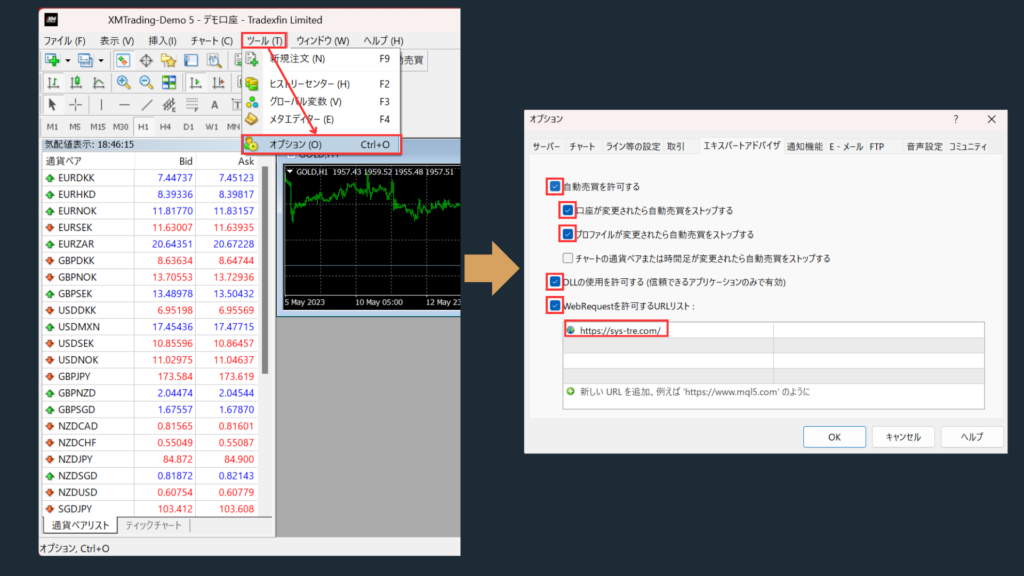
EA-Einstellungen

WebRequest erlauben

  • Bitte fugen Sie https://sys-tre.com/ zur WebRequest-URL-Liste hinzu.

"Automatischen Handel erlauben" aktivieren.

 "DLL-Importe erlauben (nur für vertrauenswürdige Anwendungen)" aktivieren.

 ↓Folgendes in die URL-Liste kopieren!↓

				
					https://sys-tre.com/


Meta Trader

Heruntergeladene EAs konnen automatisch handeln, wenn sie auf der Handelsplattform eingerichtet werden!

MT4 EA設定方法
MT4 EA設定方法

Häufige Fragen

It’s a website where you can use FX tools and automated trading tools developed by Japanese engineers completely free of charge!

For more details, click here! ▼
What is SYSTEMTRADE.com?

We offer high-performance EAs that have passed strict screening and are currently being forward-tested! At SYSTEMTRADE.com, you’ll find a wide variety of tools, including commercially available paid EAs and independently developed ones, tailored to different trading styles and currency pairs. 👉 Browse All EAs Here

Because SYSTEMTRADE.com receives compensation from partner FX brokers.

When you use a free EA, you’re required to open an account with a designated FX broker. As you trade, the broker pays a commission to the EA provider based on your trading volume. This system allows you to access high-quality tools without any direct cost.

The key difference is whether or not the account is tied to a specific broker. With the Free version, you can use our tools by opening an account with one of the FX brokers specified by SYSTEMTRADE.com and verifying it via your My Account page. Once verified, you’ll have full access for that account. The Premium version allows you to use the tools with any broker or account type of your choice, as specified at the time of purchase. ※ No membership registration is required to purchase the Premium version.
There is no difference in the performance or logic of the EA itself. The only difference between the Free and Premium versions is whether the EA is restricted to a specific broker account. Both versions provide access to the same EA with identical functionality.
There is no limit to the number of EAs you can use. As long as your account is verified, you can use as many Free EAs as you like—no restrictions. Click here to view the full list of available EAs.
You can switch the account linked to your Premium version up to once per week. If you wish to do so, please contact us.
We use it solely for managing product sales operations. Your information will never be made public on the site or shared with any third parties. Your personal details will also not be disclosed to the stores or sellers offering the products.

Data is updated on the site in real time whenever the EA makes a trade.

Check out the Popular EA Rankings here.

Please contact the vendor’s store directly.

You can reach out to each vendor store via: Menu > Vendor Store > Contact Us.
After sending your inquiry, you can communicate with the store in a chat format from My Account > Inquiries.

List of Vendor Stores

There is no limit to the number of accounts you can register.
As long as the accounts were opened through SYSTEMTRADE.com, you can register an unlimited number of them.
Once an account is approved, you can use the free version of the EA without any restrictions.

Please check your MT4 settings.

Please review STEP 5 in the following link: “Setting up the Expert Advisor.”
Go to [Tools] → [Options] → and add https://sys-tre.com/ to the list of allowed URLs under WebRequest.

If this does not resolve the issue, kindly contact our customer support team for assistance.

About MT4 setup instructions

We recommend using the paid version.

The free version can only be used with accounts created on SYSTEMTRADE.com.
If you already have an existing account, the EAs purchased with the paid version will be available for use.

We recommend using the paid version The free version is only available for accounts created through SYSTEMTRADE.com. If you already have an existing account, EAs purchased with the paid version can be used on it.

If you already have an account, please open an additional account.

For detailed instructions on how to open an account with each FX broker, please refer to the list of brokers below:

List of Partner Brokers

You can switch your account from My Account > Switch Paid Plan Account. Please note that account switches are limited to once per week.

 FX-Handel bietet Gewinnchancen, kann aber auch zu Verlusten unter Ihrer Anfangsinvestition führen.

 Die bisherige EA-Performance dient nur als Referenz und garantiert keine zukünftigen Ergebnisse.

SYSTEMTRADE.COM

 Bei Fragen zu SYSTEMTRADE.COM-Diensten kontaktieren Sie uns bitte über diese Seite.

Wir werden Sie normalerweise innerhalb weniger Tage unter Ihrer registrierten E-Mail-Adresse kontaktieren.

Kontakt

    We will reply to the email address you entered within a few business days.

    Shopping Cart
    Scroll to Top