




Thank you for visiting this product.
SimpleTrendAUDJPY is an EA specialized for long Australian dollar/yen.
The trading style is averaging down trading with stop loss settings.
The style is day trading swing to take profits and swing to cut losses.
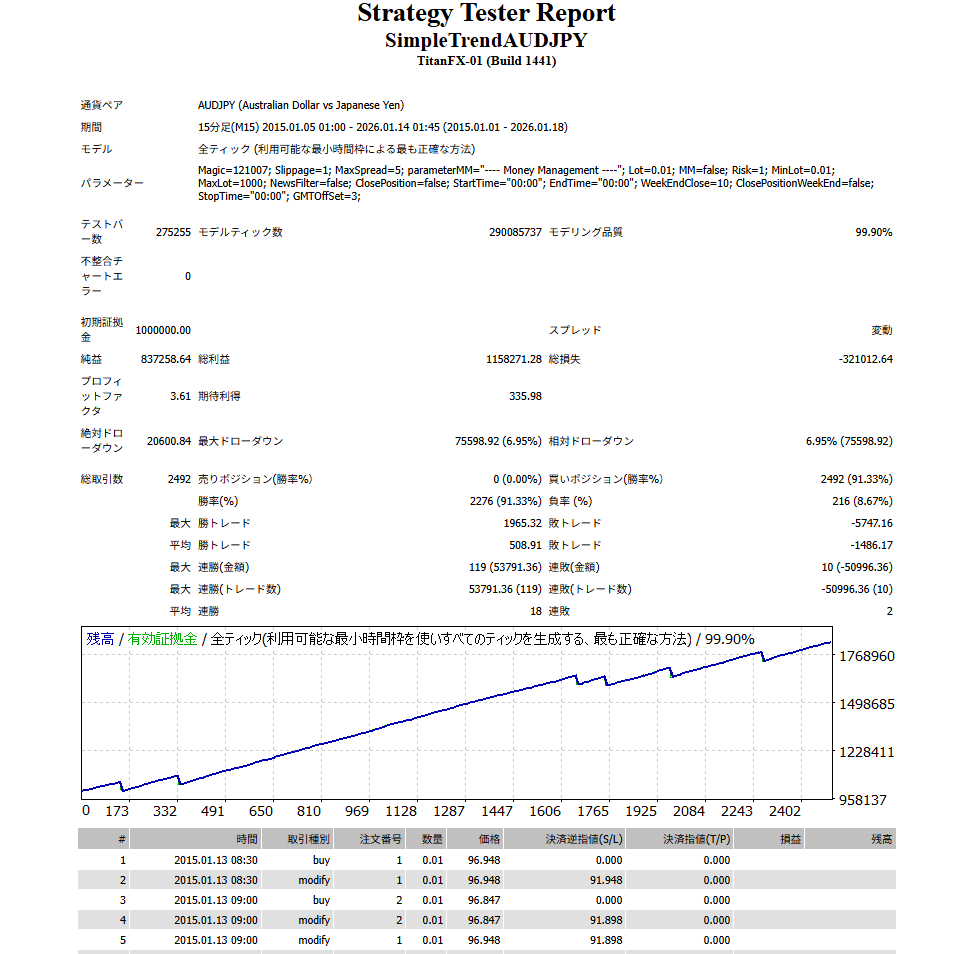
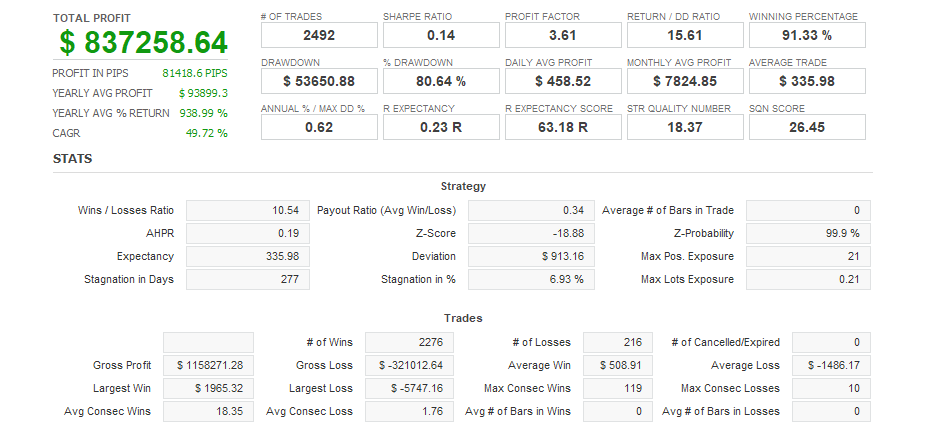
It features high expected profits, so the impact of spreads and slippage is small and it can be used by a wide range of brokers.
It has a simple design with minimal setting items to make it easy for users to use.
Setting items
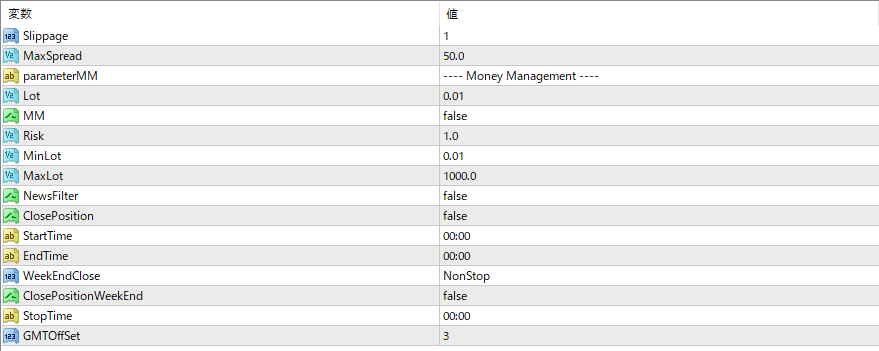
Magic Specifies the magic number. If you have purchased the product, you can change it.
Slippage Slippage setting. No need to change.
MaxSpread This is the spread filter value at the time of entry. Please enter the average value for the broker you use.
—- Money Management —-
Lot Fixed lot value. If MM is false, the position will be opened at this value.
MM compound interest setting. Set false to a fixed lot, set true to open a position according to the account balance.
This value is referenced when Risk MM is true. The larger the value, the higher the risk. A value of 1.0 or less is recommended.
MinLot The minimum lot size. Lots smaller than this value cannot be placed.
MaxLot The maximum lot size. Lots exceeding this value cannot be opened.
Example 1)
If MM is true, the account balance is 200,000 yen, and Risk=1.0,
The lot size is 0.02 Lot.
Example 2)
If MM is true, the account balance is 1,000,000 yen, and Risk=2.0,
The lot size is 0.2 Lot.
Example 3)
If MM is true, the account balance is $2000, and Risk=1.0,
The lot size is 0.02 Lot.
NewsFilter If true, suppresses new initial positions between StartTime and EndTime. (Nampin positions are opened.)
ClosePosition If NewsFilter is true and ClosePosition is true, the open position will be closed at StartTime. Use this if you want to close before an important indicator.
StartTime The start time of the NewsFilter. When operating on an hourly basis, the minute value is not referenced, so please enter a value with some leeway in the "hour" field.
EndTime NewsFilter end time
WeekEndClose This is the weekend close function. If you want to turn it off, select NonStop. If you want to turn it on, select according to the server time of your broker. For many FX brokers, the New York close is on Friday.
ClosePositionWeekEnd true to close open positions at the weekend close
StopTime: The start time of WeekEndClose, which prevents new initial positions.
GMTOffSet Enter the GMT of your company's summer time. In most cases, you can leave it as 3. There is no need to change it even if the time changes to winter time.