SYSTEMTRADE.COM For Vendor


How Systre Points Work
Earn Systre Points from paid sales and free version usage rewards
Free
Rewards based on
trading volume
Consolidated monthly → Managed and withdrawable as Systre Points
Cumulative points increase Vendor Rank → Higher free version reward rate
*Paid version rewards are fixed regardless of Vendor Rank


On SYSTEMTRADE.COM, you can earn Systre Points from paid product sales and free version usage rewards.

Listed EAs are sold in two types: Paid Version and Free Version.

When a Free Version is used
Rewards are paid according to Systre.COM policy.

Sales revenue and free version rewards are consolidated at the beginning of each month and managed as Systre Points.
When withdrawing, you can withdraw all points at once.

Earned points are recorded as Cumulative Systre Points, and your Vendor Rank increases based on the total. As your rank rises, the free version reward rate changes, allowing you to earn more.
*Paid version sales rewards are fixed regardless of Vendor Rank.

How to Withdraw Earnings
1
Select Method
PayPal / USDT(ERC20)
2
Enter Amount & Details
Email or Wallet Address
3
Submit Request
Confirm details and click submit
Min. withdrawal: 5,000 pts

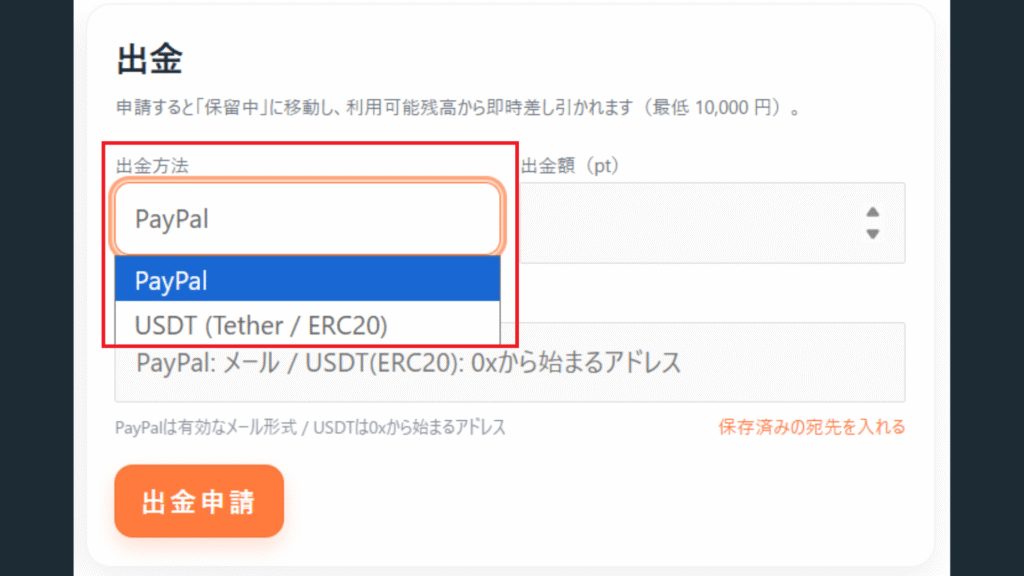
Step 1

 Please select a withdrawal method
・PayPal
・Cryptocurrency: USDT (Tether/ERC20)

売上金出金方法の説明画像 - 【出品者向け】売上金の出金方法について|SYSTEMTRADE.COM

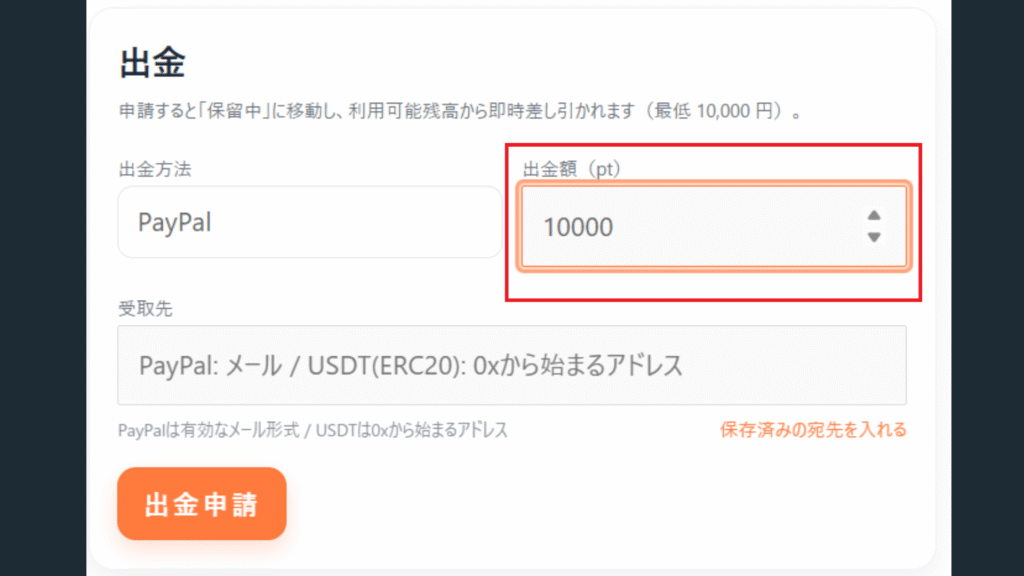
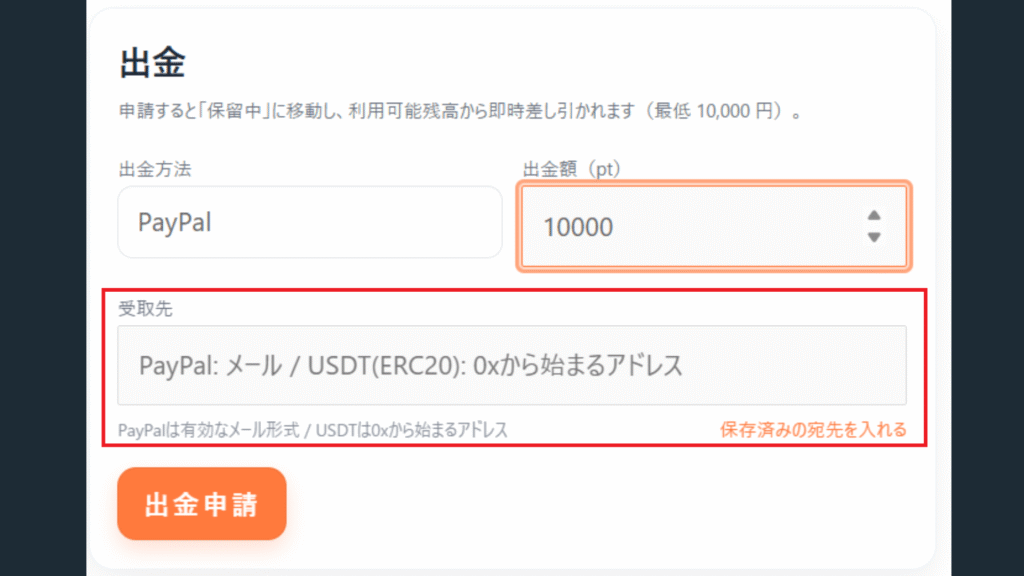
Step 2

Enter withdrawal amount and payment details
Enter the withdrawal amount and set your payment details.
*PayPal: valid email format / USDT: address starting with 0x

売上金出金方法の説明画像 - 【出品者向け】売上金の出金方法について|SYSTEMTRADE.COM

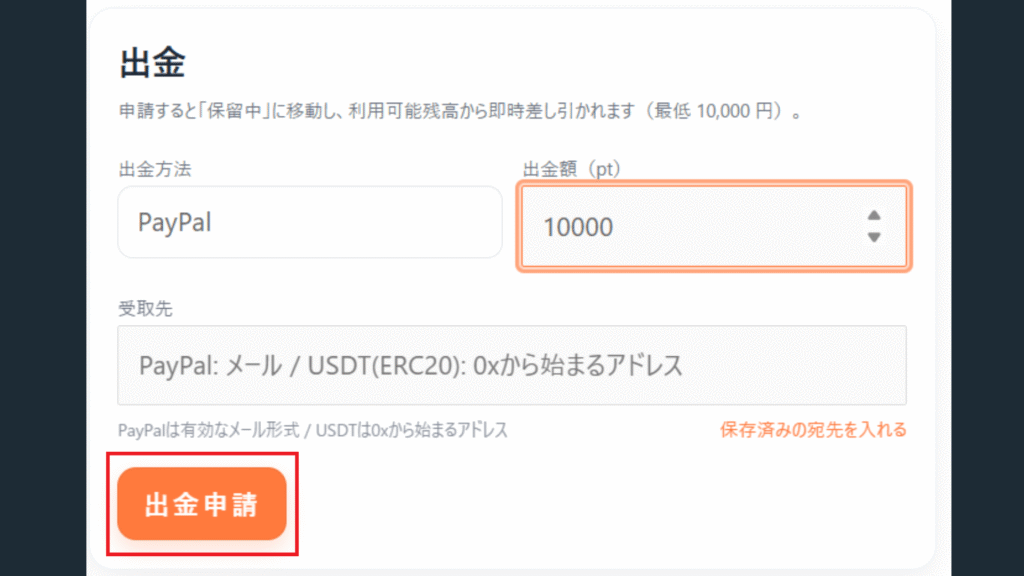
Step 3

Withdrawal Request

Please confirm the withdrawal details and click the Withdrawal Request button

売上金出金方法の説明画像 - 【出品者向け】売上金の出金方法について|SYSTEMTRADE.COM

Systre Points Withdrawal Rules

Minimum withdrawal is 5,000 points.

Scroll to Top