
SYSTEMTRADE.COM
สำหรับคำถามเกี่ยวกับบริการ SYSTEMTRADE.COM กรุณาติดต่อเราจากหน้านี้
โดยปกติเราจะติดต่อคุณทางอีเมลที่ลงทะเบียนภายในไม่กี่วัน
ติดต่อเรา

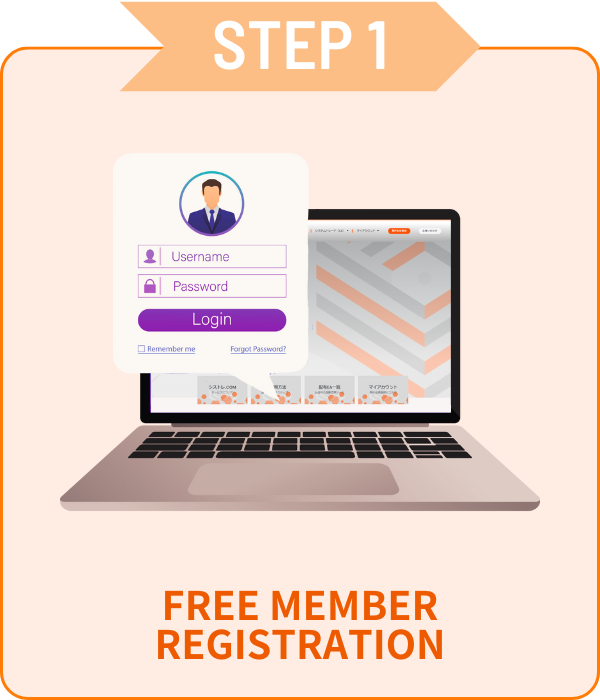
ใช้แค่อีเมลและรหัสผ่านเท่านั้น!
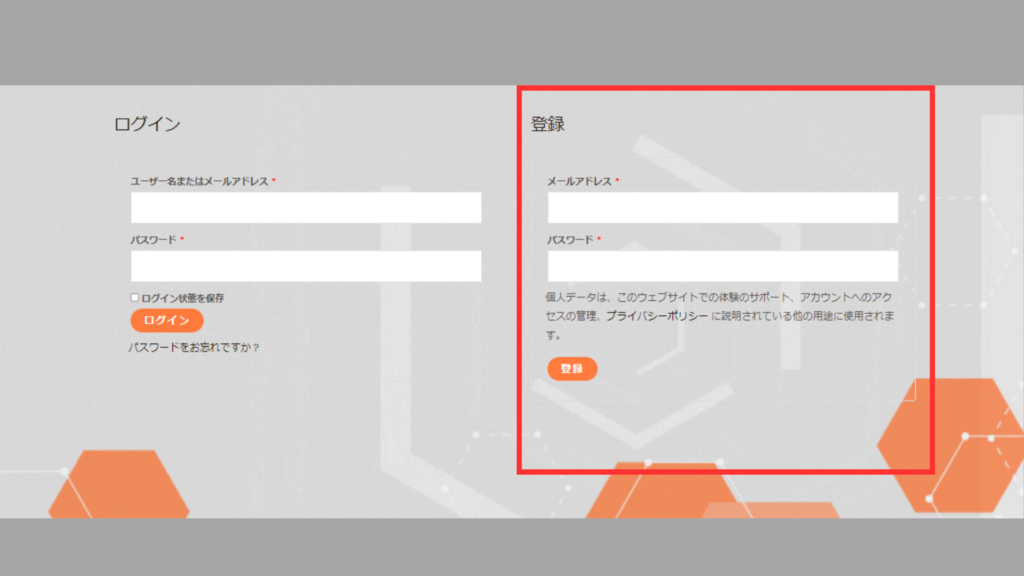
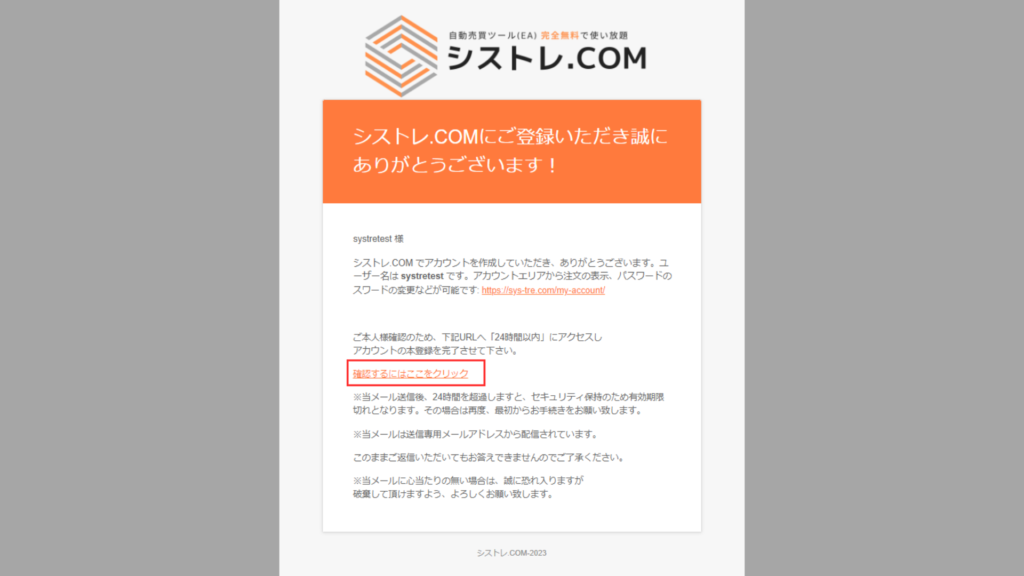
ไปที่บัญชีของฉัน กรอกข้อมูลในกรอบสีแดง<br>แล้วคลิกปุ่ม [ลงทะเบียน]
อีเมลยืนยันจะถูกส่งไปยังที่อยู่อีเมลที่ลงทะเบียนกรุณาคลิก "คลิกที่นี่" ในอีเมลเพื่อยืนยัน
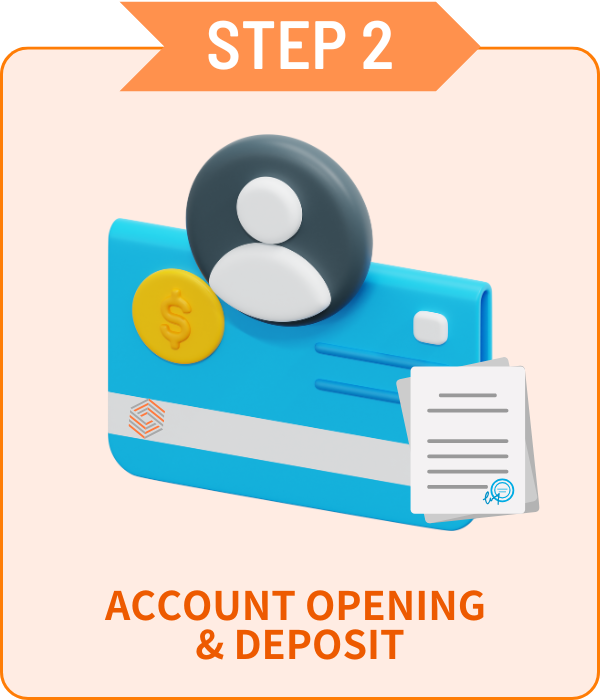
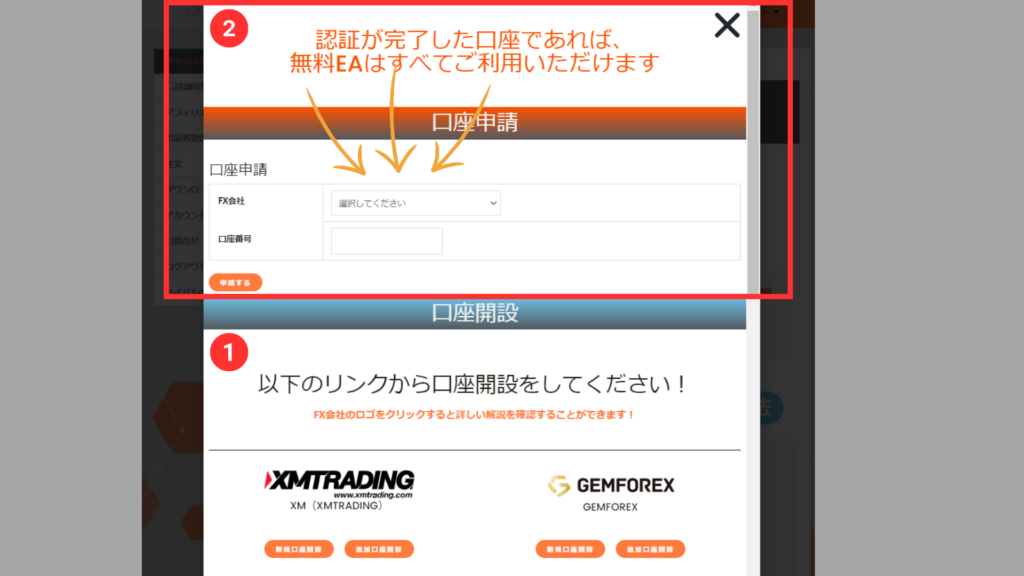
เลือกโบรกเกอร์ที่ชอบและเปิดบัญชี!
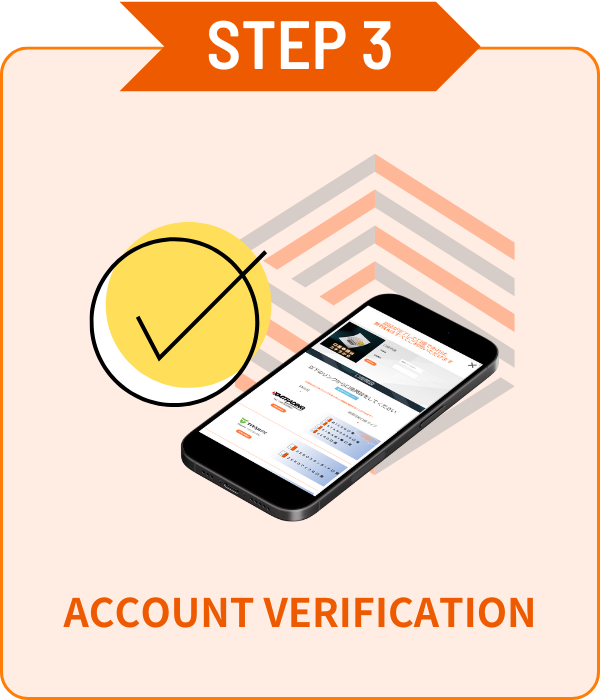
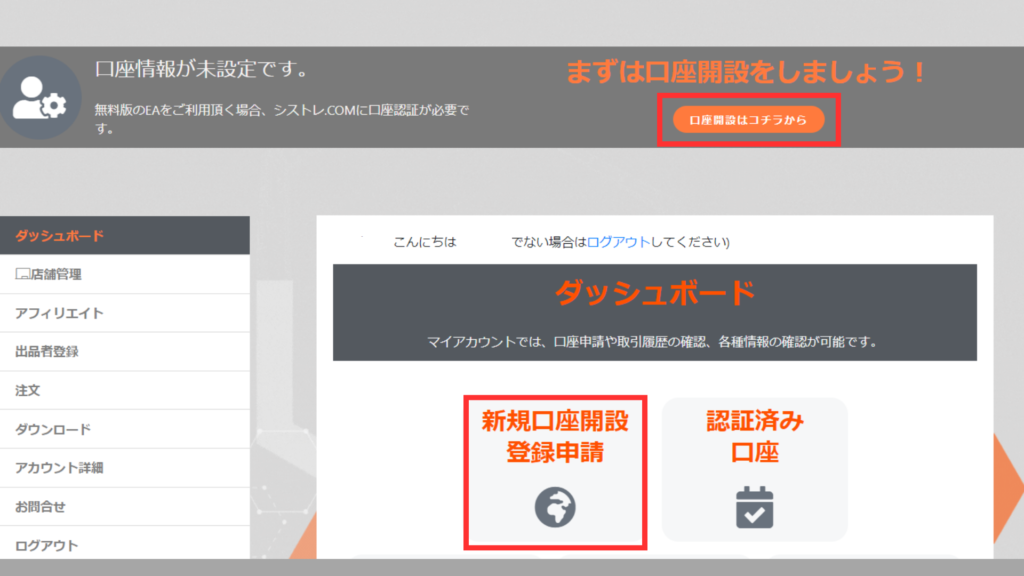
ยืนยันบัญชีง่ายๆ ในหน้าบัญชีของฉัน!
คลิก [สมัครบัญชีใหม่] จากแดชบอร์ด [บัญชีของฉัน] เพื่อแสดงแบบฟอร์ม
เลือกโบรกเกอร์จากดรอปดาวน์ ป้อนหมายเลขบัญชี แล้วคลิกปุ่มสมัคร
*การยืนยันบัญชีอาจใช้เวลาหลายวัน
*หากคุณมีบัญชีที่เปิดนอกเว็บไซต์ของเรา กรุณาเปิดบัญชีเพิ่มเติมจาก STEP2 ด้านบน
บัญชีที่ยืนยันแล้ว
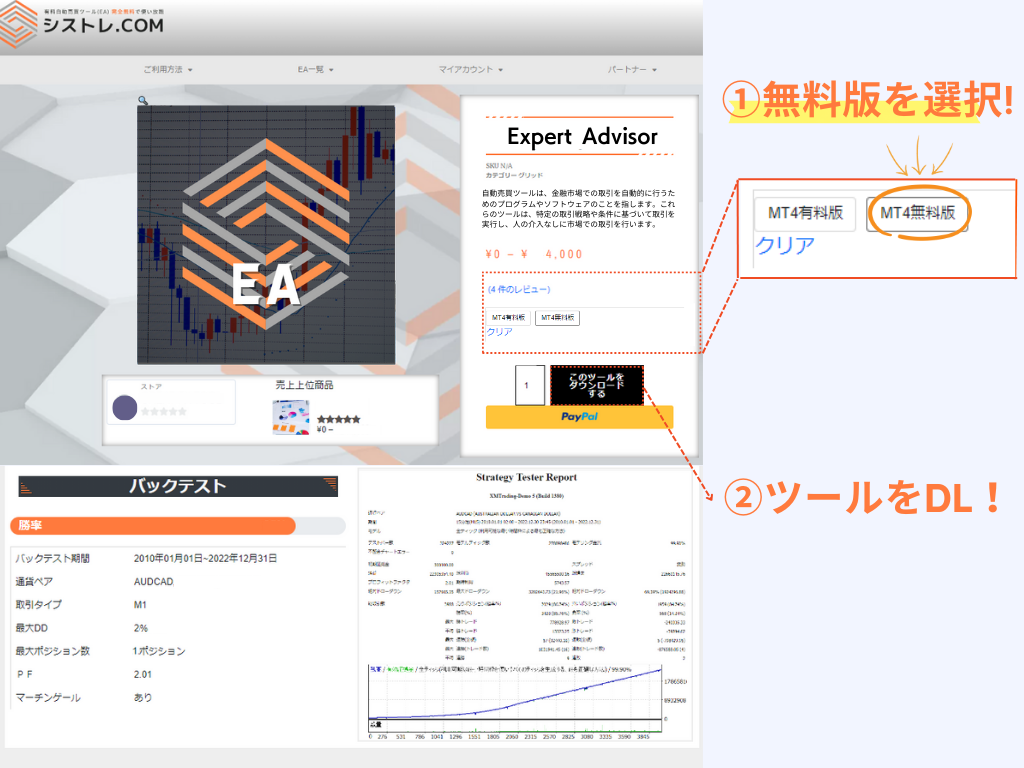
ใช้ EA ทั้งหมดได้ฟรี!
ต้องสมัครบัญชีจากหน้าของฉัน
สามารถลงทะเบียนหลายบัญชีได้
*เฉพาะบัญชีที่เปิดผ่านลิงก์ของเรา
ซื้อและใช้งานได้โดยไม่ต้องลงทะเบียน
การเปลี่ยนบัญชีสามารถขอได้จากหน้าของฉัน
*เปลี่ยนบัญชีได้สัปดาห์ละครั้ง
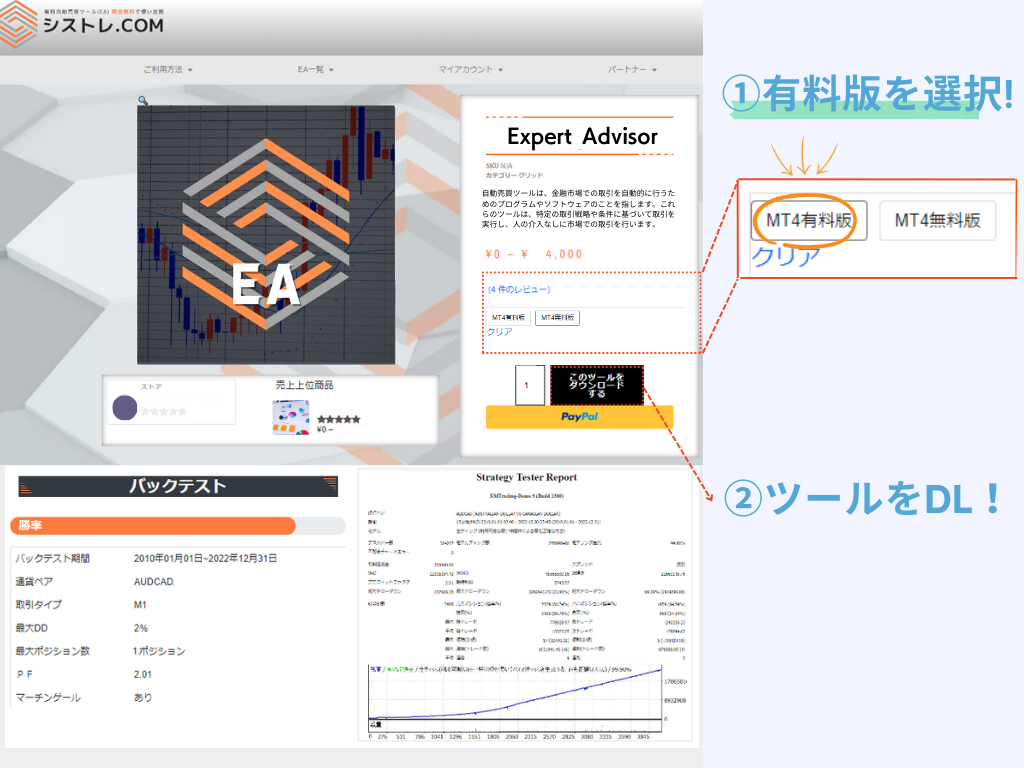
ความแตกต่างระหว่างเวอร์ชันฟรีและเสียเงินคือข้อจำกัดบัญชี
ทั้งสองเวอร์ชันมีประสิทธิภาพและตรรกะเหมือนกัน
บัญชีที่เปิดผ่านบริการของเรา
ซื้อเวอร์ชันเสียเงิน
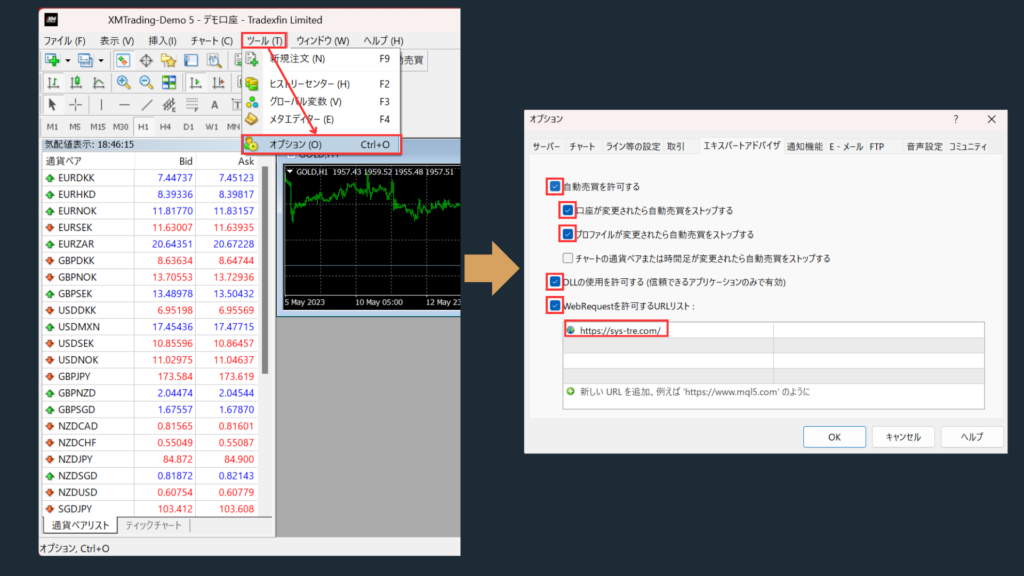
เลือก "อนุญาตการเทรดอัตโนมัติ"
เลือก "อนุญาตการนำเข้า DLL (สำหรับแอปที่เชื่อถือได้เท่านั้น)"
↓คัดลอกรายการด้านล่างไปยังรายการ URL!↓
https://sys-tre.com/
EA ที่ดาวน์โหลดสามารถเริ่มการเทรดอัตโนมัติได้โดยตั้งค่าบนแพลตฟอร์มการซื้อขาย!
It’s a website where you can use FX tools and automated trading tools developed by Japanese engineers completely free of charge!
For more details, click here! ▼
What is SYSTEMTRADE.com?
Because SYSTEMTRADE.com receives compensation from partner FX brokers.
When you use a free EA, you’re required to open an account with a designated FX broker. As you trade, the broker pays a commission to the EA provider based on your trading volume. This system allows you to access high-quality tools without any direct cost.
Data is updated on the site in real time whenever the EA makes a trade.
Check out the Popular EA Rankings here.
Please contact the vendor’s store directly.
You can reach out to each vendor store via: Menu > Vendor Store > Contact Us.
After sending your inquiry, you can communicate with the store in a chat format from My Account > Inquiries.
There is no limit to the number of accounts you can register.
As long as the accounts were opened through SYSTEMTRADE.com, you can register an unlimited number of them.
Once an account is approved, you can use the free version of the EA without any restrictions.
Please check your MT4 settings.
Please review STEP 5 in the following link: “Setting up the Expert Advisor.”
Go to [Tools] → [Options] → and add https://sys-tre.com/ to the list of allowed URLs under WebRequest.
If this does not resolve the issue, kindly contact our customer support team for assistance.
We recommend using the paid version.
The free version can only be used with accounts created on SYSTEMTRADE.com.
If you already have an existing account, the EAs purchased with the paid version will be available for use.
If you already have an account, please open an additional account.
For detailed instructions on how to open an account with each FX broker, please refer to the list of brokers below:
การเทรด FX มีโอกาสทำกำไร แต่อาจขาดทุนต่ำกว่าเงินลงทุนเริ่มต้น
ผลงาน EA ในอดีตเป็นข้อมูลอ้างอิงเท่านั้น ไม่รับประกันผลลัพธ์ในอนาคต
สำหรับคำถามเกี่ยวกับบริการ SYSTEMTRADE.COM กรุณาติดต่อเราจากหน้านี้
โดยปกติเราจะติดต่อคุณทางอีเมลที่ลงทะเบียนภายในไม่กี่วัน