
Cara Penggunaan

💫
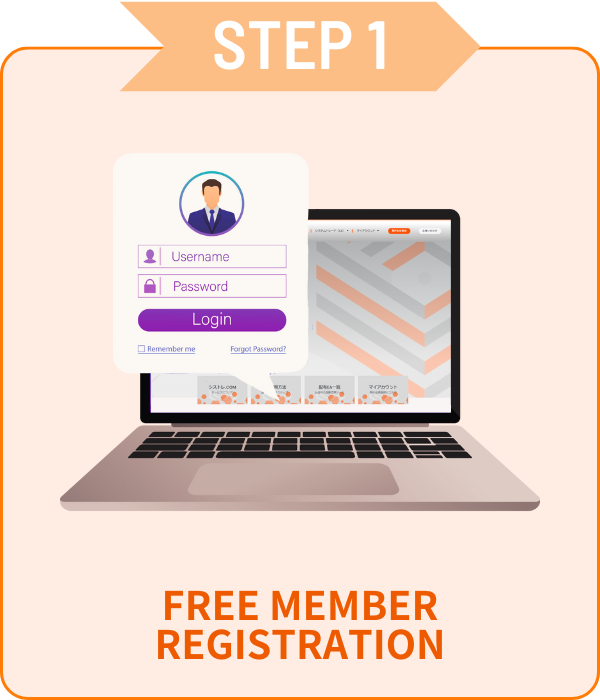
Versi gratis hanya3langkah mudah!
Akses tak terbatas ke EA premium gratis!

Daftar

 Hanya perlu email dan kata sandi!

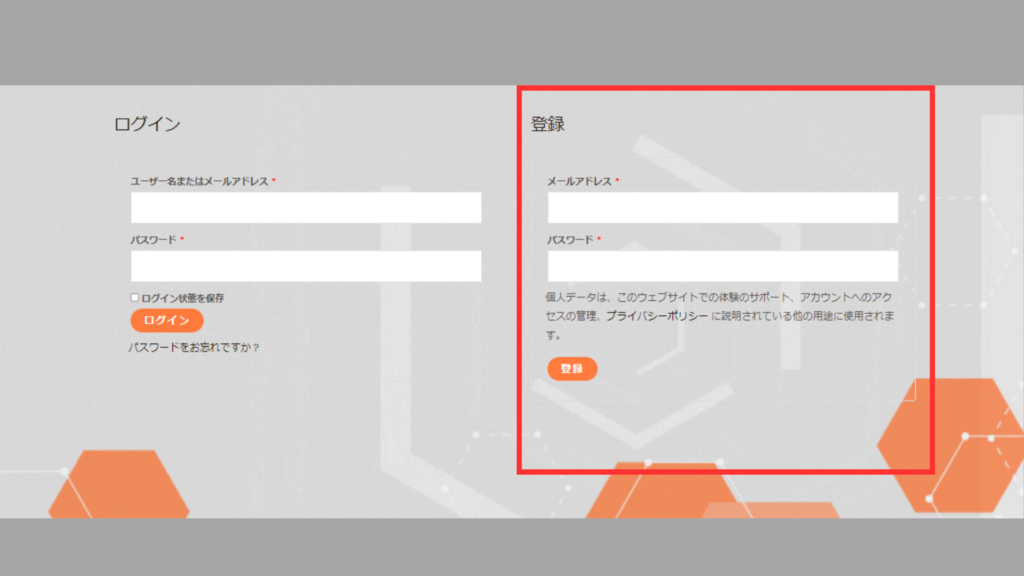
01Formulir Pengajuan Akun

 Buka Akun Saya, masukkan informasi di kotak merah,<br>lalu klik tombol [Daftar].

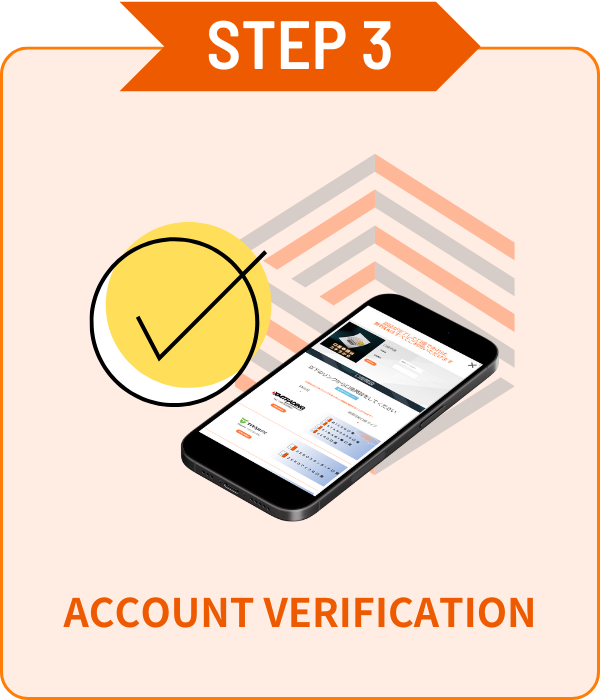
02Verifikasi Akun

シストレ.COM

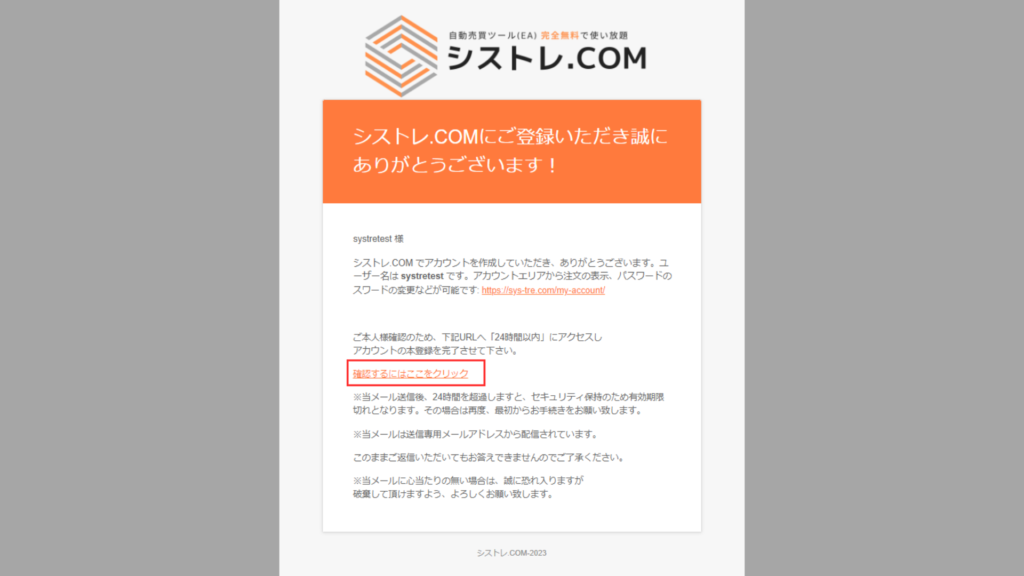
Email konfirmasi akan dikirim ke alamat email terdaftar Anda.Silakan klik "Klik di sini" di email untuk verifikasi. 

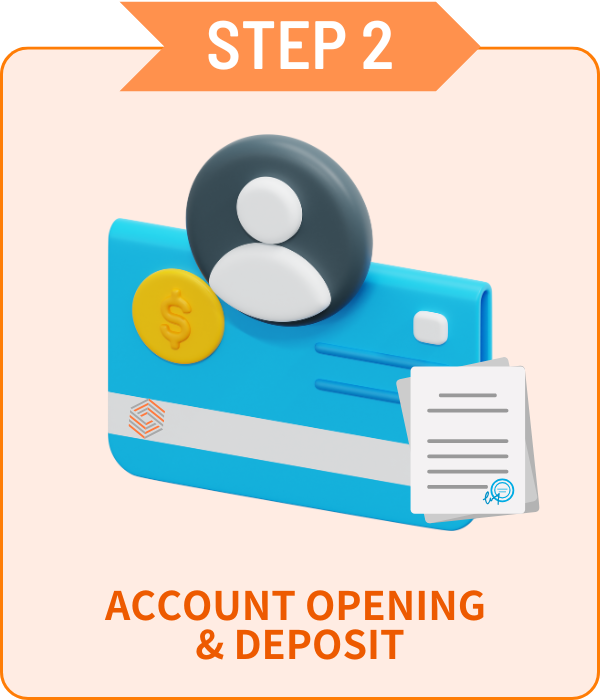
Buka Akun

 Pilih broker favorit Anda dan buka akun!


 EA gratis hanya tersedia untuk akun yang dibuka melalui tautan kami.Versi berbayar tidak memiliki batasan akun.

available_axiory
available_axiory
TITANのロゴ
利用可能口座_TITAN
利用可能口座_Exness

Verifikasi Akun

 Verifikasi akun mudah di halaman Akun Saya!

01Formulir Pengajuan Akun

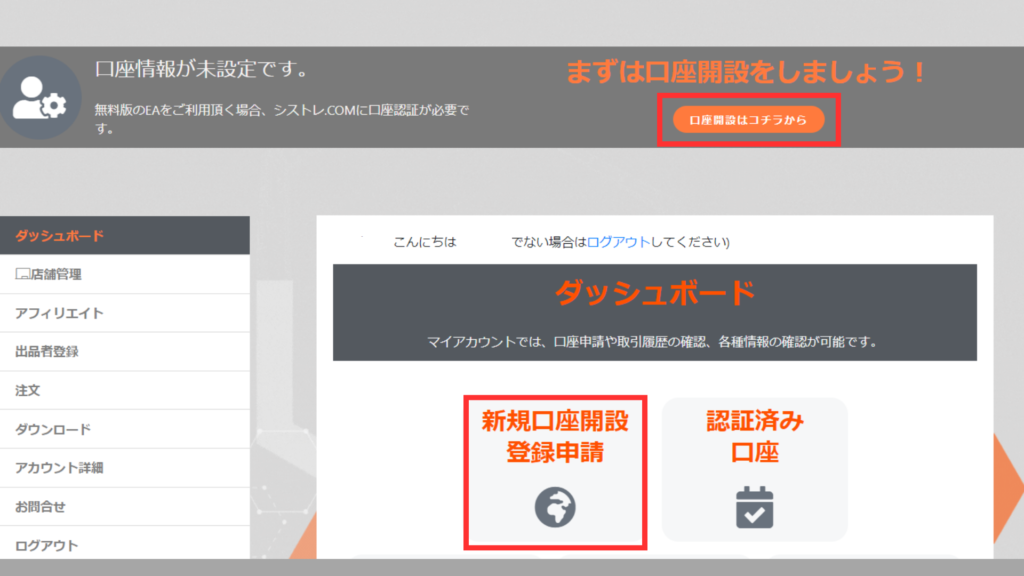
 Klik [Pendaftaran Akun Baru] dari dasbor [Akun Saya] untuk menampilkan formulir.

02Verifikasi Akun

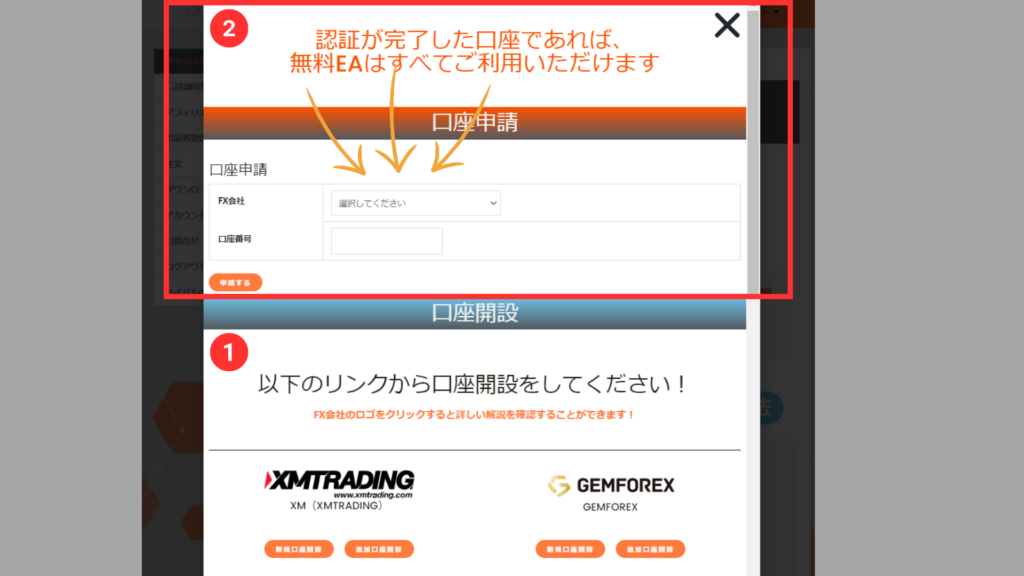
 Pilih broker dari dropdown, masukkan nomor akun, lalu klik tombol ajukan.

*Verifikasi akun mungkin memakan waktu beberapa hari.
*Jika Anda memiliki akun yang dibuka di luar situs kami, silakan buka akun tambahan dari STEP2 di atas.


ALL FREE!

Dengan akun terverifikasi,
semua EA gratis!

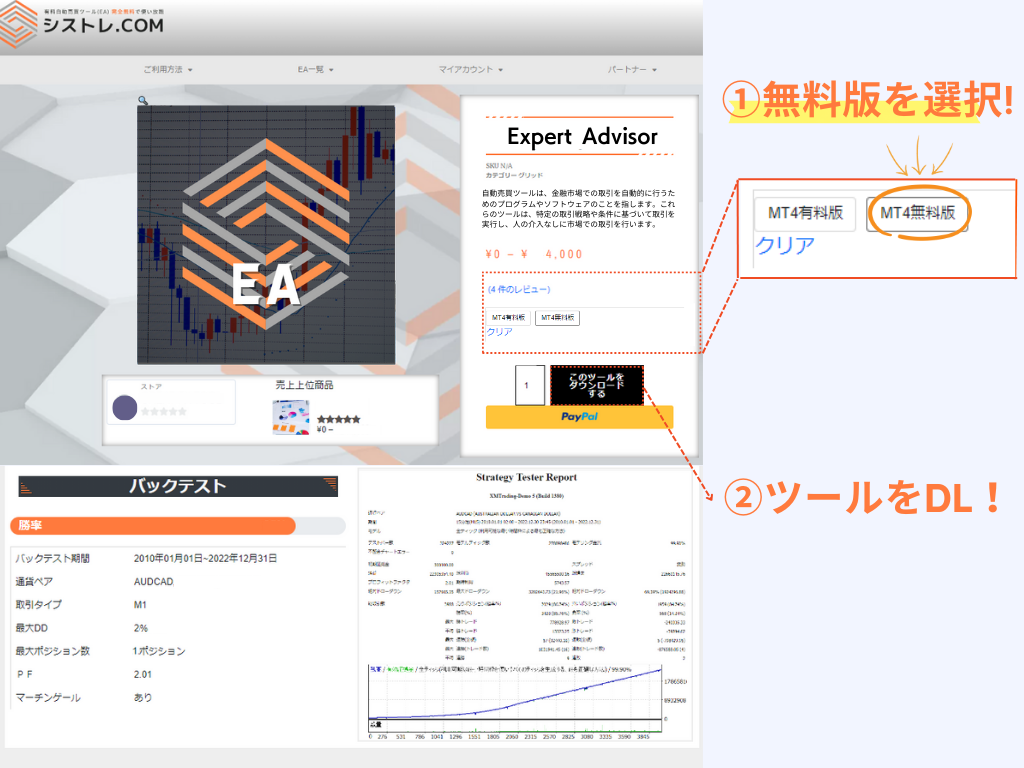
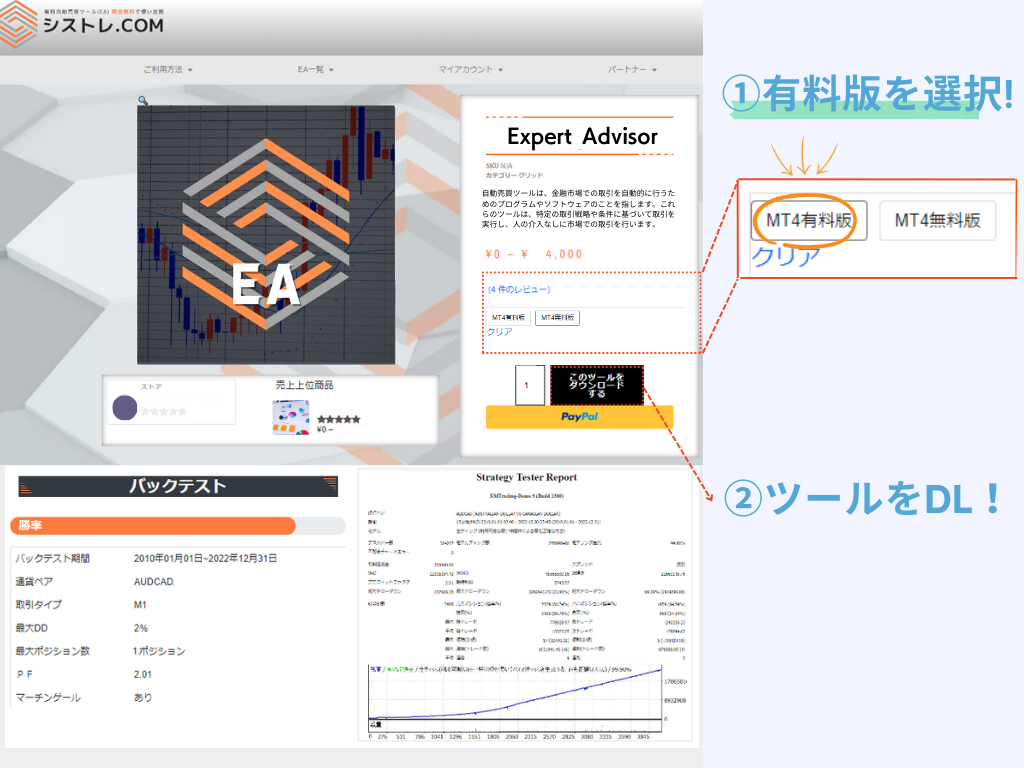
Cara Mengunduh Produk

Versi Gratis
Versi Gratis

Pengajuan akun diperlukan dari Halaman Saya.
Beberapa akun dapat didaftarkan.

*Hanya akun yang dibuka melalui tautan kami yang memenuhi syarat.

Versi Berbayar
Versi Berbayar

Beli dan gunakan tanpa registrasi.
Perubahan akun dapat diajukan dari Halaman Saya.
*Akun dapat diubah seminggu sekali.

Perbedaan Versi Berbayar dan Gratis

Perbedaan antara versi berbayar dan gratis adalah pembatasan akun.
Kedua versi memiliki kinerja dan logika yang sama.

Versi Gratis
Rp0

Akun dibuka melalui layanan kami

Akses tak terbatas dengan akun terverifikasi
  • Kompatibel MetaTrader4/5
  • EA Tak Terbatas
  • Akun Tak Terbatas
  • Unduh Ulang Tersedia
  • Fungsi Backtest
  • Tidak Ada Akun Demo
  • Ada Batasan Akun
Gunakan dengan akun pilihan Anda
  • Kompatibel MetaTrader4/5
  • Tanpa Batasan Broker
  • Perubahan Akun Tersedia
  • Unduh Ulang Tersedia
  • Fungsi Backtest
  • Akun Demo OK

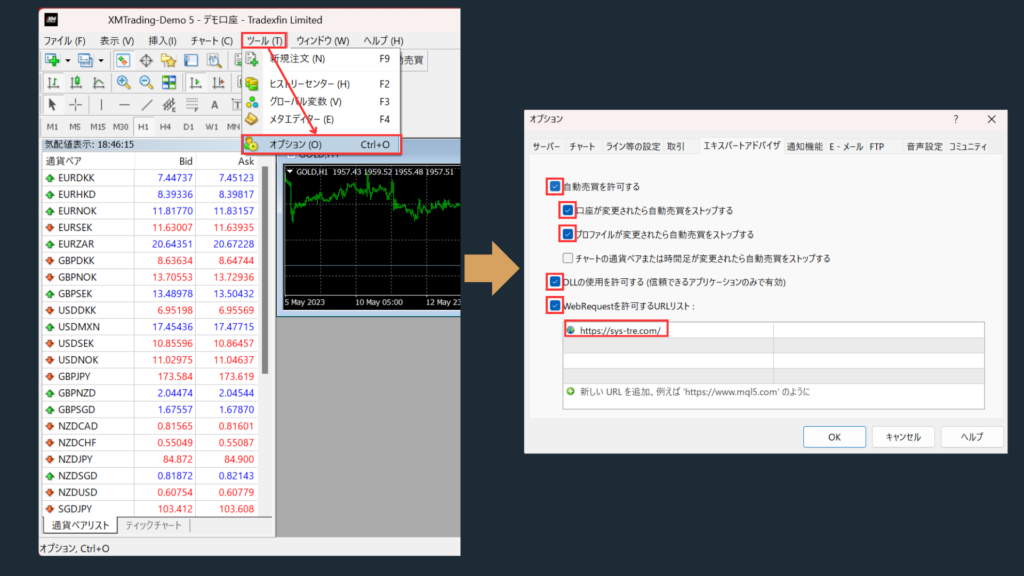
Pengaturan EA

Izinkan WebRequest

  • Silakan tambahkan https://sys-tre.com/ ke daftar URL yang diizinkan WebRequest.

Centang "Izinkan trading otomatis".

 Centang "Izinkan impor DLL (hanya untuk aplikasi tepercaya)".

 ↓Salin berikut ke daftar URL!↓

				
					https://sys-tre.com/


Meta Trader

EA yang diunduh dapat memulai trading otomatis dengan mengaturnya di platform trading!

MT4 EA設定方法
MT4 EA設定方法

FAQ

It’s a website where you can use FX tools and automated trading tools developed by Japanese engineers completely free of charge!

For more details, click here! ▼
What is SYSTEMTRADE.com?

We offer high-performance EAs that have passed strict screening and are currently being forward-tested! At SYSTEMTRADE.com, you’ll find a wide variety of tools, including commercially available paid EAs and independently developed ones, tailored to different trading styles and currency pairs. 👉 Browse All EAs Here

Because SYSTEMTRADE.com receives compensation from partner FX brokers.

When you use a free EA, you’re required to open an account with a designated FX broker. As you trade, the broker pays a commission to the EA provider based on your trading volume. This system allows you to access high-quality tools without any direct cost.

The key difference is whether or not the account is tied to a specific broker. With the Free version, you can use our tools by opening an account with one of the FX brokers specified by SYSTEMTRADE.com and verifying it via your My Account page. Once verified, you’ll have full access for that account. The Premium version allows you to use the tools with any broker or account type of your choice, as specified at the time of purchase. ※ No membership registration is required to purchase the Premium version.
There is no difference in the performance or logic of the EA itself. The only difference between the Free and Premium versions is whether the EA is restricted to a specific broker account. Both versions provide access to the same EA with identical functionality.
There is no limit to the number of EAs you can use. As long as your account is verified, you can use as many Free EAs as you like—no restrictions. Click here to view the full list of available EAs.
You can switch the account linked to your Premium version up to once per week. If you wish to do so, please contact us.
We use it solely for managing product sales operations. Your information will never be made public on the site or shared with any third parties. Your personal details will also not be disclosed to the stores or sellers offering the products.

Data is updated on the site in real time whenever the EA makes a trade.

Check out the Popular EA Rankings here.

Please contact the vendor’s store directly.

You can reach out to each vendor store via: Menu > Vendor Store > Contact Us.
After sending your inquiry, you can communicate with the store in a chat format from My Account > Inquiries.

List of Vendor Stores

There is no limit to the number of accounts you can register.
As long as the accounts were opened through SYSTEMTRADE.com, you can register an unlimited number of them.
Once an account is approved, you can use the free version of the EA without any restrictions.

Please check your MT4 settings.

Please review STEP 5 in the following link: “Setting up the Expert Advisor.”
Go to [Tools] → [Options] → and add https://sys-tre.com/ to the list of allowed URLs under WebRequest.

If this does not resolve the issue, kindly contact our customer support team for assistance.

About MT4 setup instructions

We recommend using the paid version.

The free version can only be used with accounts created on SYSTEMTRADE.com.
If you already have an existing account, the EAs purchased with the paid version will be available for use.

We recommend using the paid version The free version is only available for accounts created through SYSTEMTRADE.com. If you already have an existing account, EAs purchased with the paid version can be used on it.

If you already have an account, please open an additional account.

For detailed instructions on how to open an account with each FX broker, please refer to the list of brokers below:

List of Partner Brokers

You can switch your account from My Account > Switch Paid Plan Account. Please note that account switches are limited to once per week.

 Trading FX menawarkan peluang profit tetapi juga dapat mengakibatkan kerugian di bawah investasi awal.

 Kinerja EA masa lalu hanya untuk referensi dan tidak menjamin hasil di masa depan.

SYSTEMTRADE.COM

 Untuk pertanyaan tentang layanan SYSTEMTRADE.COM, silakan hubungi kami dari halaman ini.

Kami biasanya akan menghubungi Anda di email terdaftar dalam beberapa hari.

Hubungi Kami

    We will reply to the email address you entered within a few business days.

    Shopping Cart
    Scroll to Top