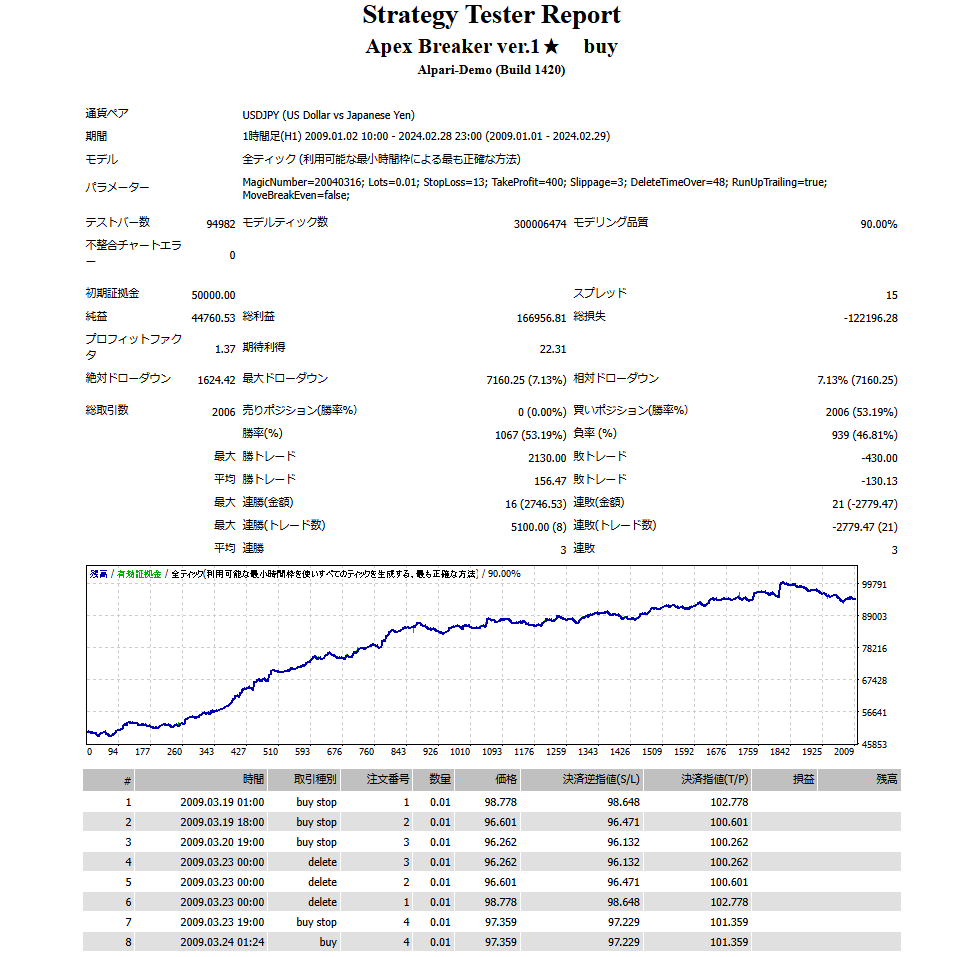
A method of waiting for a breakpoint to occur as a stop-limit signal by using a pending order, and then riding the short-term wave using the breakpoint as a starting point.
Unfilled orders stored as stop-loss signals during the waiting period will be carried over until the delete time, so all stock positions that have not been deleted at the time the breakpoint is reached will be executed together.
In other words, the basic holding is one position, but since the number of stop-loss stocks changes depending on the delete time, the stocks may be released all at once and executed.
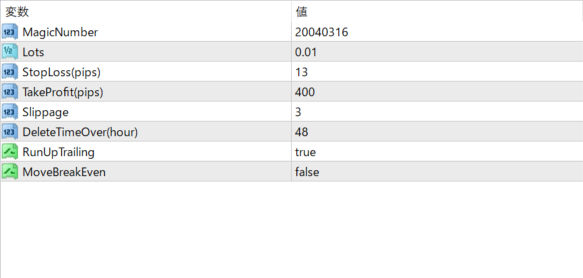
*Delete Time: If a pre-order is not executed within 48 hours after it is placed, the order will be deleted and a new pre-order will be placed on hold.
*By shortening the delete time, the waiting period will be shortened, which will inevitably result in fewer unfilled orders.
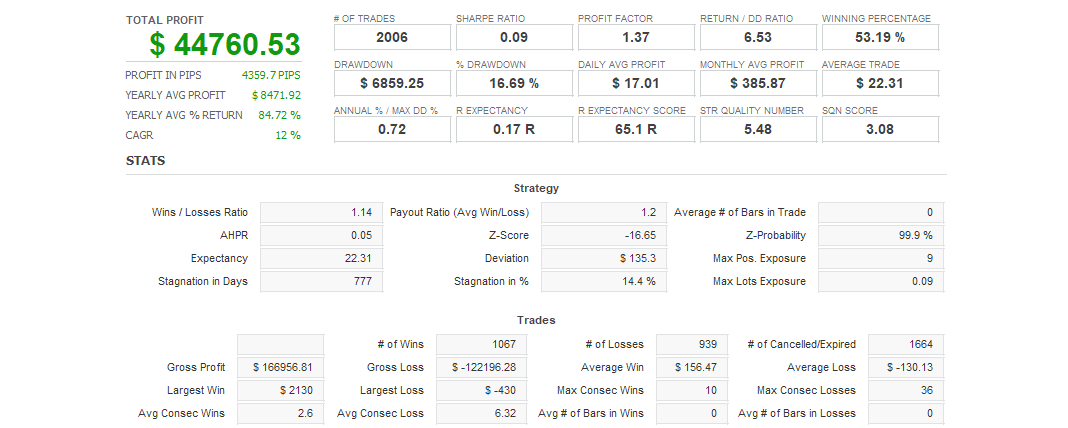
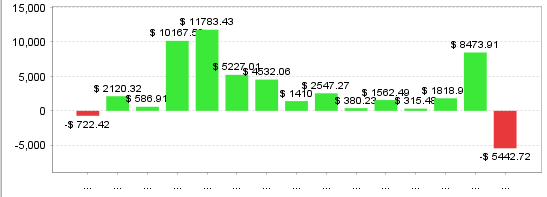
*Apex Breaker-buy captures long-term upward trends, so if there is no trend, there will be a period of several months with no trading at all. Apex Breaker-sell captures medium-term downward trends, so by running each EA at the same time, the two can complement each other during the blank periods.
Frequently Asked Questions
Can I use the EA right after purchase?
Yes. The EA file (.ex4/.ex5) becomes available for download from your account page immediately after payment completes.
Does it support MT4 or MT5?
Platform compatibility varies by product. Please check the "Supported Platform" field on each product page. Many EAs support both MT4 and MT5.
Can I try EAs on a demo account?
Most EAs do not support running on demo accounts. To help you decide before purchase, every EA's backtest results are shown in the "Backtest" tab and forward test performance in the "Performance" tab on each product page.
What is the recommended margin or lot size?
Recommended settings are listed for each EA in the "Product Details" section of its product page. Excessive lot sizing can cause catastrophic losses at maximum drawdown.
Can I change my licensed account?
After purchase, go to "Licensed Account Switch" on My Page and enter the MT4/MT5 account number you want to bind. The change applies immediately. You can change once per 24 hours.
Are refunds or returns available?
Due to the nature of digital products, we generally cannot refund or accept returns after the authentication code has been issued. However, if the EA itself has a critical defect that prevents operation and the fault lies with us, we will handle the case individually. Please contact us via the inquiry page.
Do backtest results match live performance?
Backtest results are theoretical values based on historical data, while forward tests reflect live environment performance. Systre publishes forward test data for every EA on its product page so you can verify live performance before purchase. Spread and execution delays typically cause some divergence between backtest and live results.